Title here
Summary here
Robo Gallery includes two grid engines that define how images are arranged and displayed - the Classic Grid (v3) and the Fusion Grid (v5). Both grids are fully responsive, adapting automatically to various screen sizes, but the new Fusion Grid introduces modern technologies for improved automation and flexibility.
The classic grid, available in earlier versions of Robo Gallery, remains a powerful and flexible layout engine. It gives users full control over spacing, columns, and alignment.
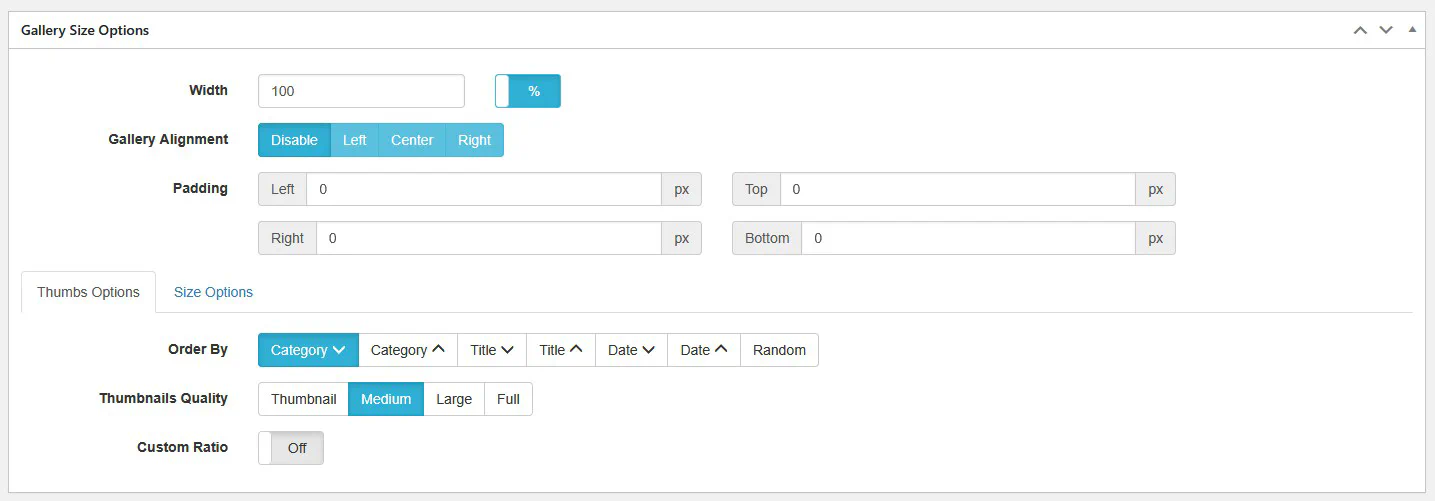
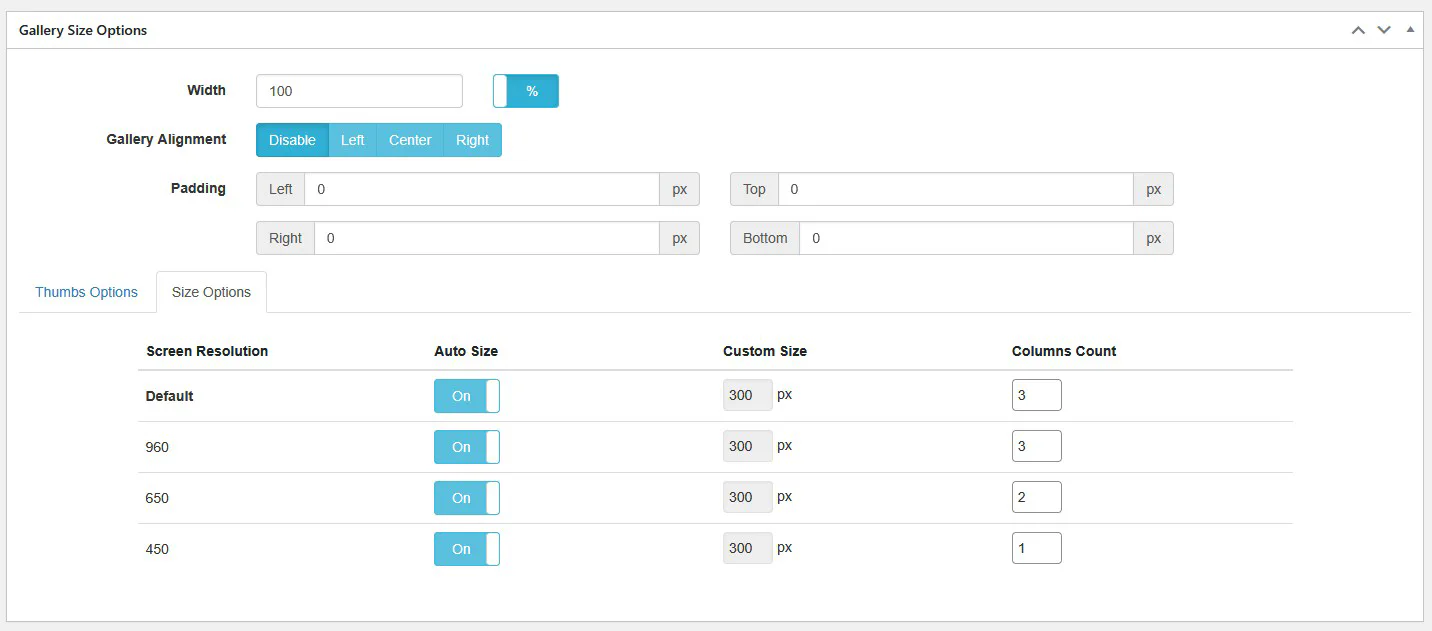
The v3 grid is ideal for users who prefer detailed manual configuration and pixel-perfect control.
Introduced in version 5, Fusion Grid represents a new generation of gallery layout technology. It’s designed with a strong focus on automation, flexibility, and ultra-responsive behavior across all devices - from small smartphones to ultra-wide 16K Retina displays.
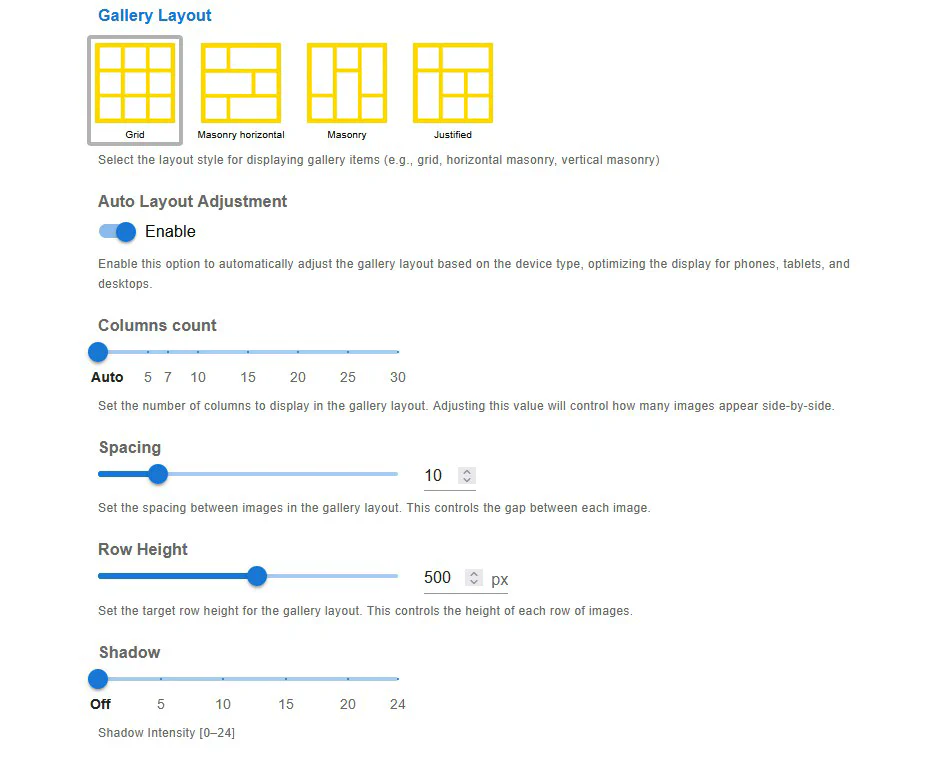
Fusion Grid reduces the need for manual configuration while maintaining excellent visual precision and performance.
When creating a new gallery, you can select the layout type directly in the Create Gallery dialog. Both free and premium layout types are available, including Fusion Grid (V5), Grid, Masonry, Polaroid, YouTube, Slider, and several Pro variations.
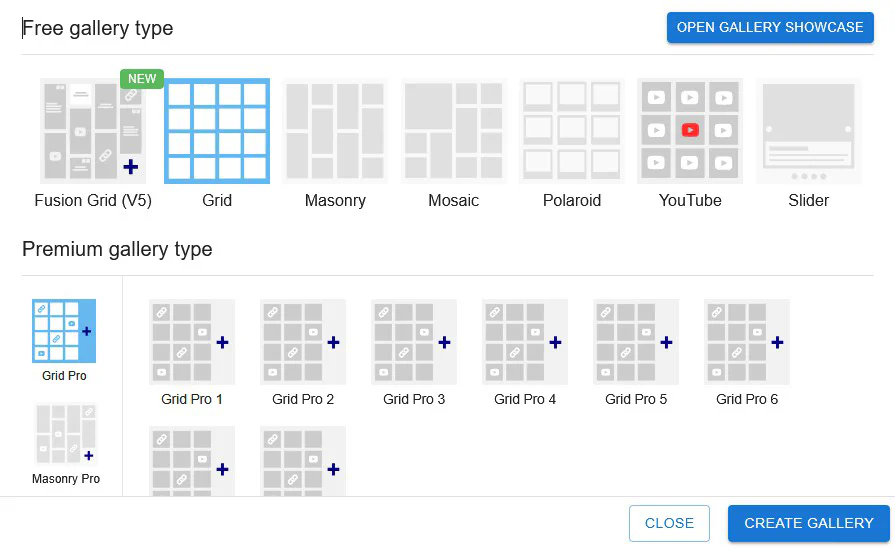
Both layouts share the same logic of structure and styling, but Fusion Grid simplifies setup through enhanced automation and modern rendering techniques.
Robo Gallery’s Grid Layout system combines flexibility and automation. Whether you prefer the manual precision of Classic Grid or the intelligent adaptability of Fusion Grid, both deliver smooth, optimized, and visually consistent gallery layouts across all devices.
Fusion Grid (v5) is recommended for new projects - it brings superior responsiveness, performance, and simplicity in configuration.