Title here
Summary here
The Load More button allows visitors to manually load additional images without refreshing the page.
Instead of traditional pagination, users click a button to reveal more gallery items.
This feature is available in both:
In Classic version, the Load More button is configured inside:
Navigation → Pagination
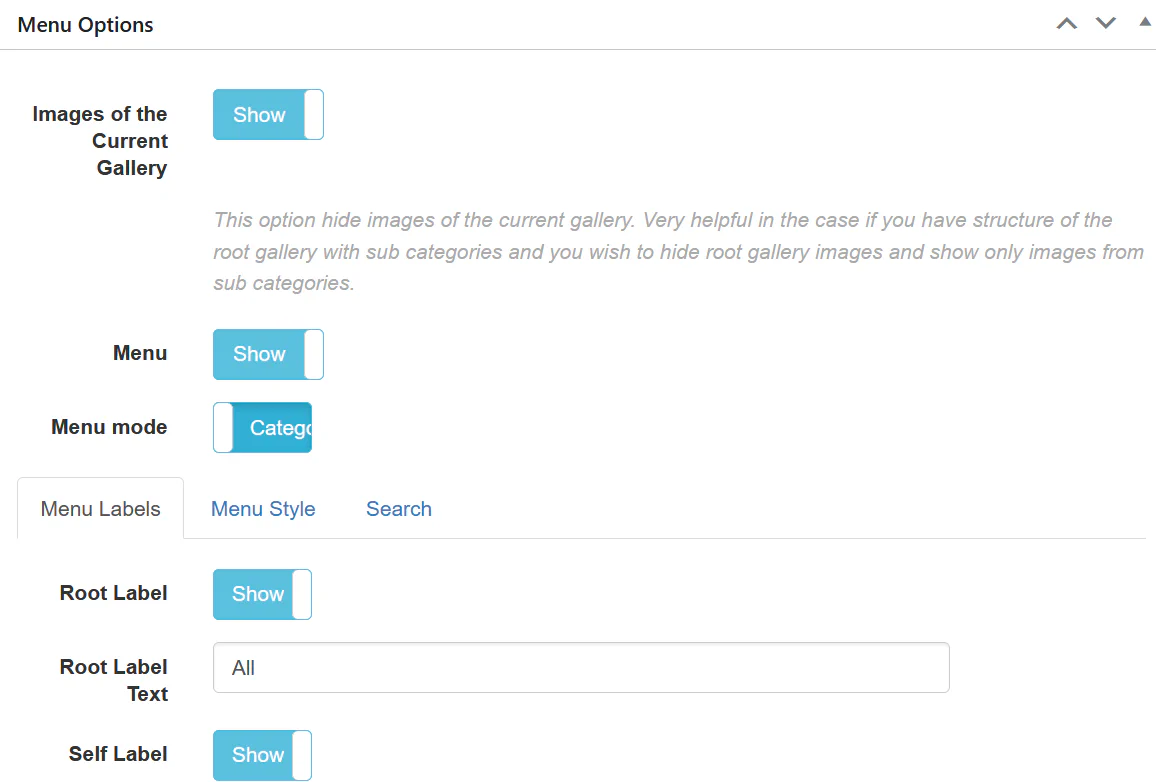
Inside Pagination, select:
This replaces traditional numbered pagination.
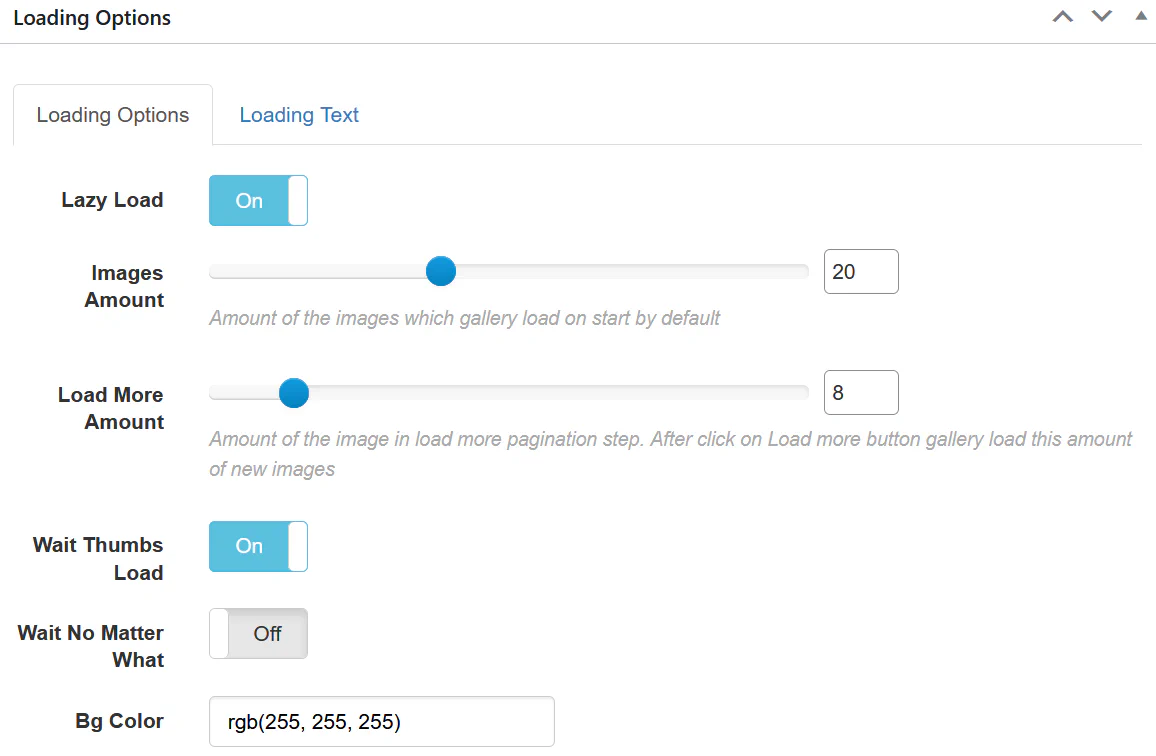
Adjust:
For example:
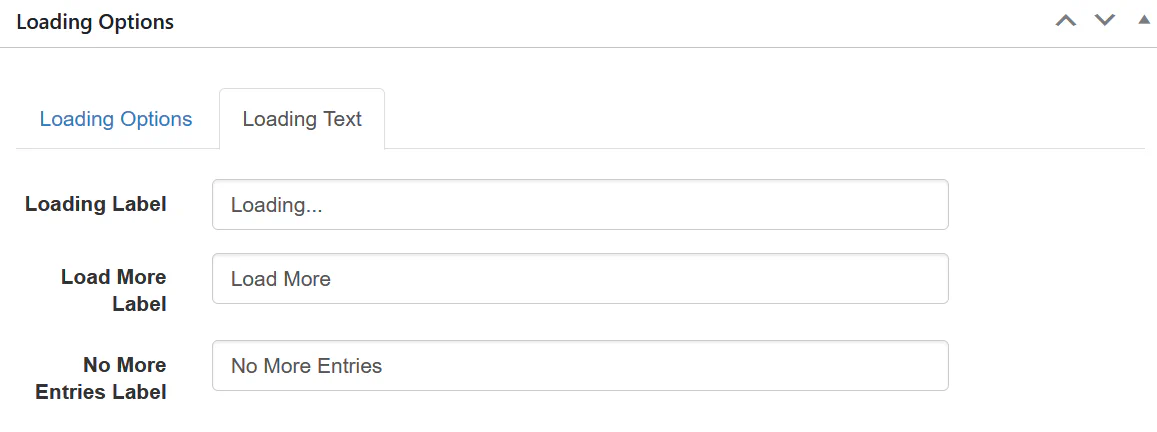
Inside Loading Text tab you can edit:
This allows full customization of the button text.
In Fusion version, go to:
Navigation → Pagination
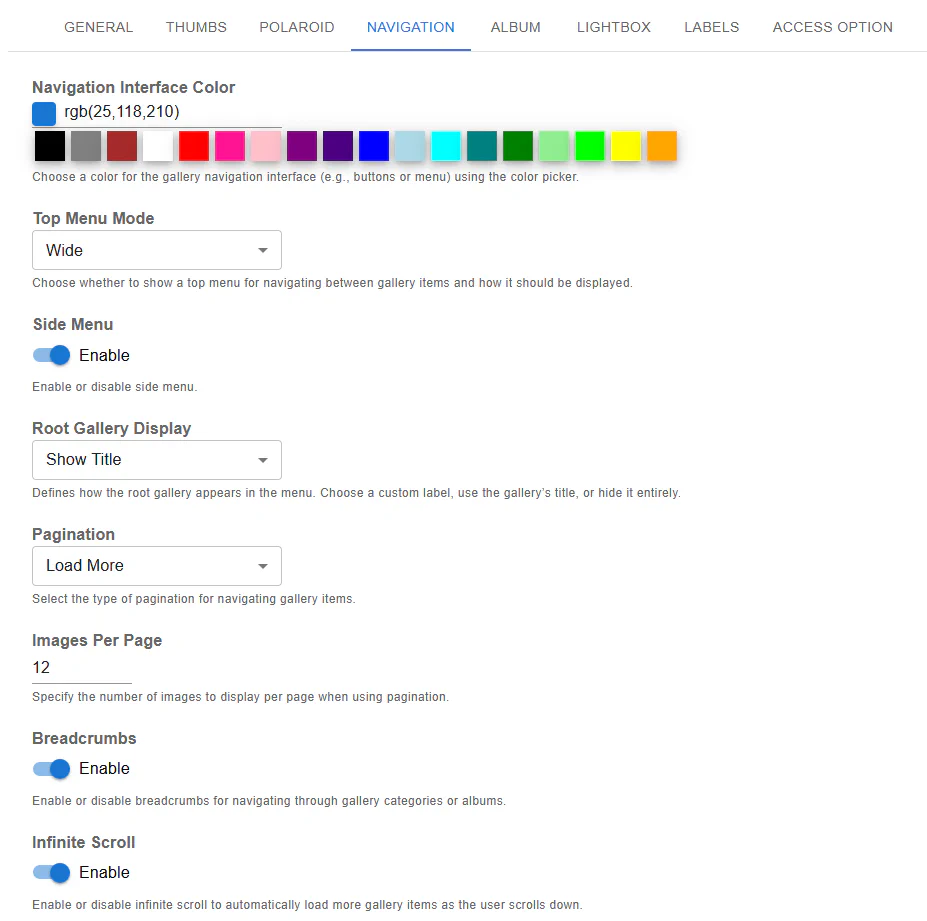
Inside Pagination mode:
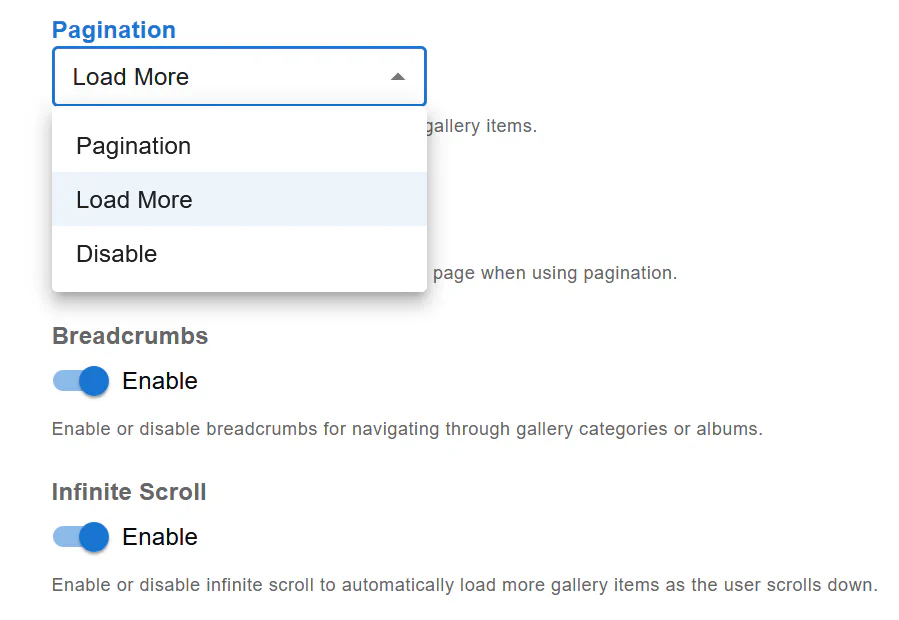
Choose:
This activates the Load More button behavior.
Set:
Fusion automatically loads the next batch when the button is clicked.
No page refresh required.
| Feature | Load More | Infinite Scroll |
|---|---|---|
| User Control | ✔ Yes | ❌ No |
| Automatic Loading | ❌ No | ✔ Yes |
| SEO Friendly | ✔ Better | ⚠ Depends |
| Performance Control | ✔ Strong | ⚠ Needs tuning |
If you want better control and clearer interaction — use Load More. If you want a modern seamless experience — use Infinite Scroll.
For optimal performance:
The Load More button provides a clean and user-friendly way to navigate large galleries.
Setup requires:
Your gallery will now dynamically load images with a simple click.