Title here
Summary here
Robo Gallery allows you to create mixed media galleries that combine different types of content inside the same gallery.
You can include:
This gives you full flexibility when building galleries for portfolios, tutorials, product showcases, or media collections.
Each gallery item can have its own behavior depending on the fields used in the Media Manager.
The main fields controlling this behavior are:
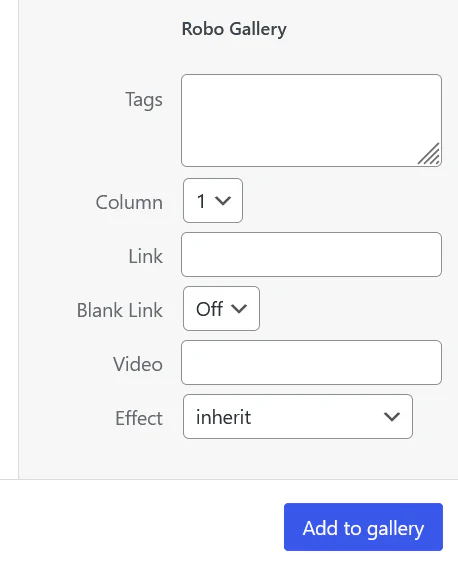
If no video or external link is provided, the item behaves like a normal image.
When clicked:
If the Video field contains a video URL:
Supported video platforms include:
(available depending on gallery type)
If the Link field is used:
This is useful when you want thumbnails to act as navigation elements.
A gallery can contain:
| Item Type | Behavior |
|---|---|
| Image | Opens image in lightbox |
| Image + Video link | Opens video in lightbox |
| Image + Link | Opens external page |
This allows you to build flexible galleries such as:
Mixed galleries are useful when you want to display:
Combining images and videos in the same gallery makes Robo Gallery a powerful tool for building rich visual presentations.