Title here
Summary here
Robo Gallery supports multiple ways to display videos inside galleries.
You can create video galleries using:
This allows you to build galleries that include:
All inside the same gallery.
Robo Gallery includes a dedicated YouTube gallery type designed specifically for displaying videos.
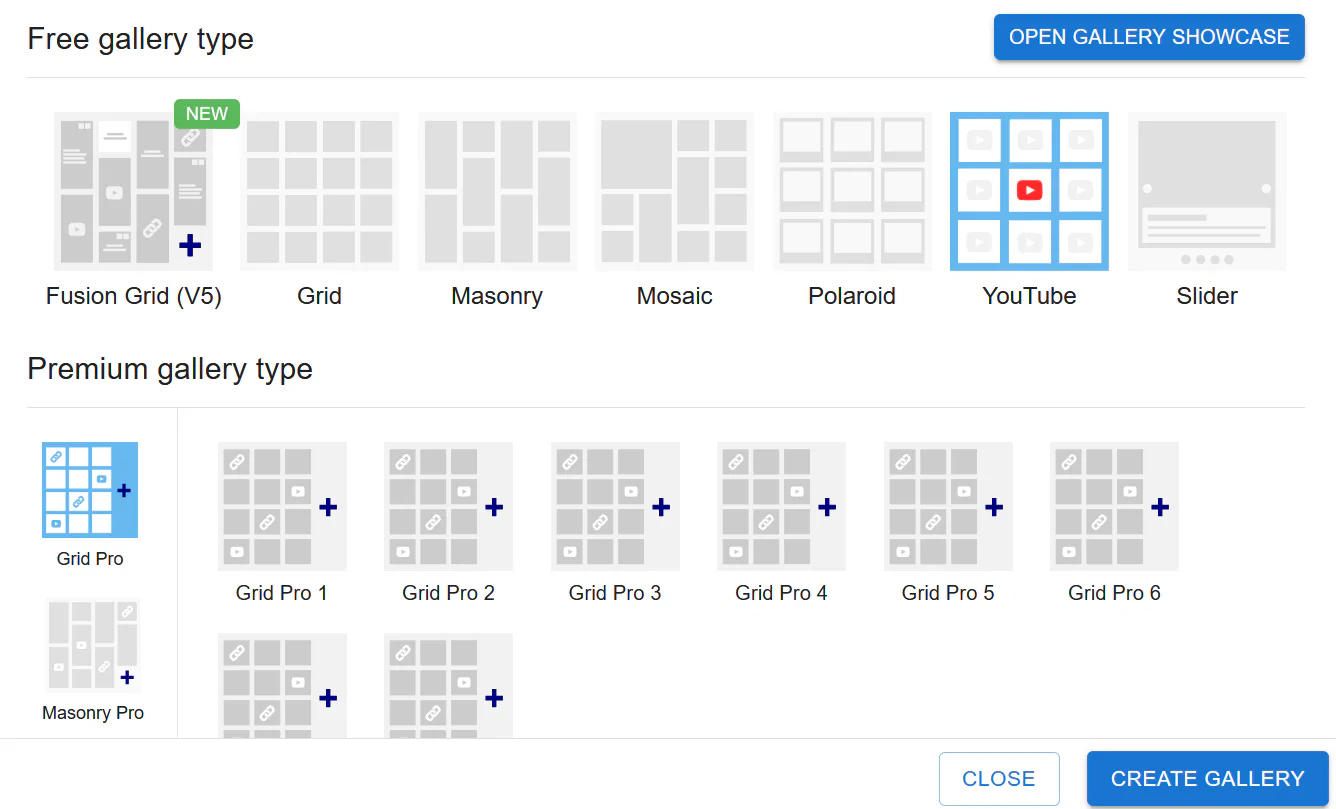
This gallery automatically generates a video gallery from YouTube sources.
Supported modes:
Inside the gallery settings you can choose how videos are loaded.
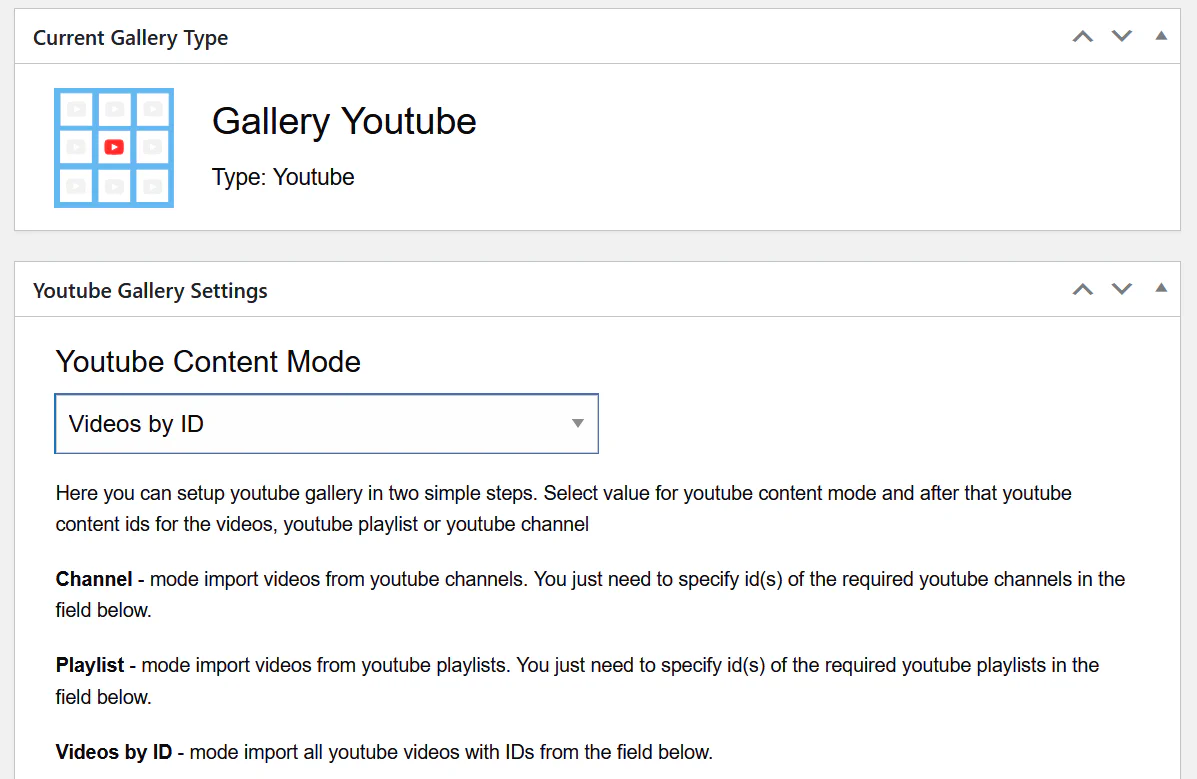
Displays videos from a YouTube channel.
You only need to enter the Channel ID, and the gallery will automatically fetch the videos.
Displays videos from a YouTube playlist.
Simply provide the playlist ID and Robo Gallery will generate the gallery automatically.
This mode allows you to manually specify individual video IDs.
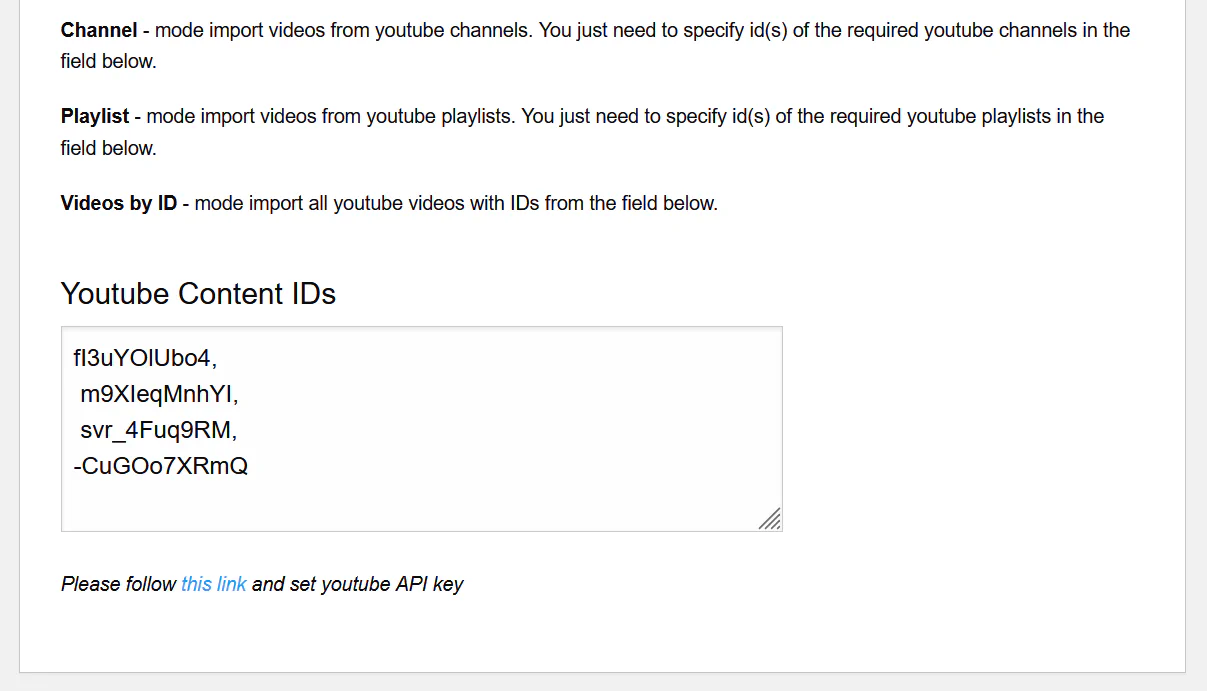
Example list:
fl3uYOIUbo4,
m9XleqMnhYI,
svr_4Fuq9RM,
-CuGOo7XRmQ
Each ID represents one YouTube video.
To use YouTube galleries you must configure a YouTube API key.
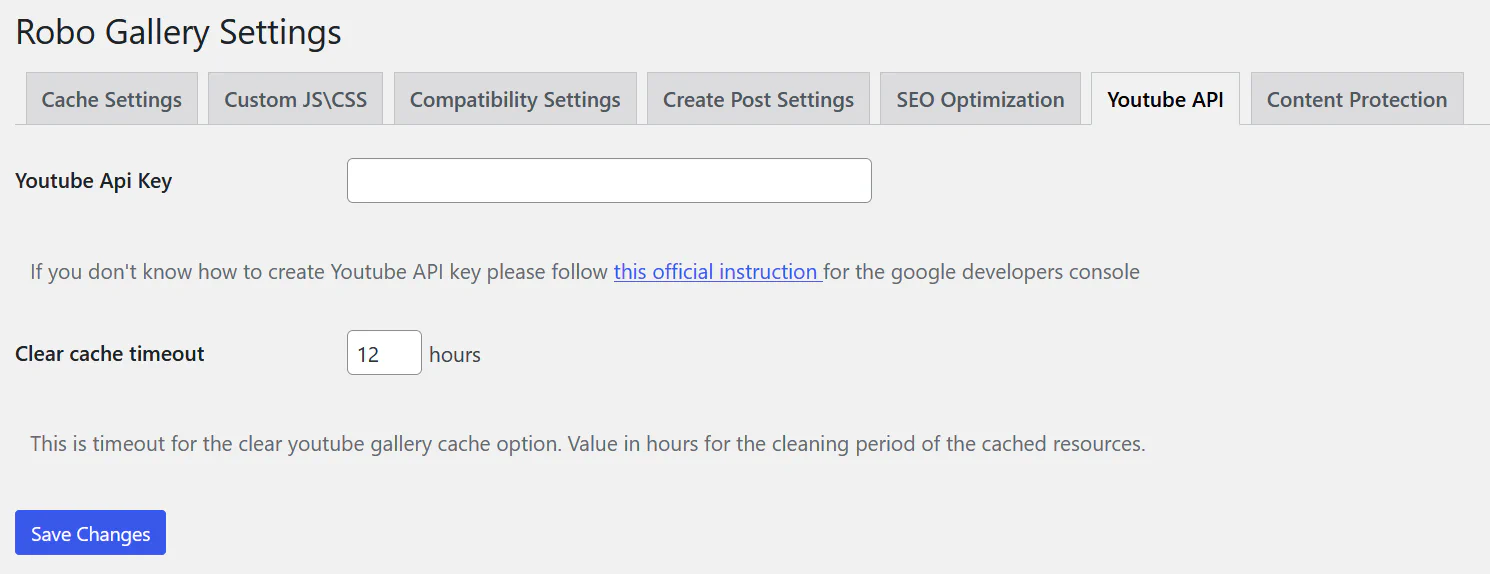
Navigate to:
Robo Gallery → Settings → Youtube APIPaste your API key into the Youtube Api Key field.
This allows Robo Gallery to retrieve video data from YouTube.
Videos can also be used in any gallery type, including:
Inside the Media Manager, each gallery item supports a Video link field.
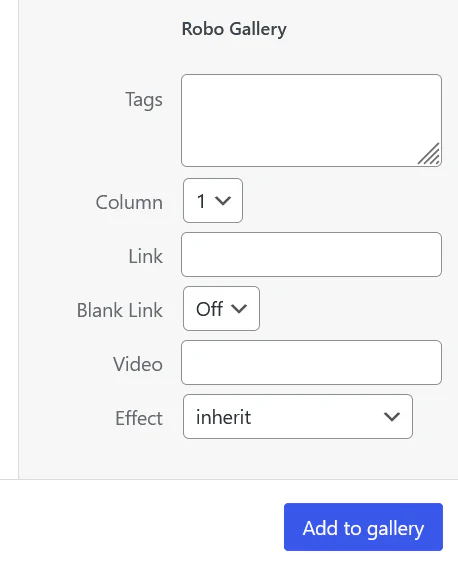
When a video link is added:
Video support depends on the gallery type.
Classic gallery types support:
Fusion galleries support additional platforms:
Robo Gallery allows mixing different types of items in a single gallery.
A gallery can include:
Standard images that open inside the lightbox.
Images that open external pages instead of the lightbox.
Images that open videos inside the lightbox.
This makes it possible to build:
Common uses for video galleries include:
Robo Gallery makes it possible to create flexible mixed-media galleries using both images and video content.