Enabling Pagination
On this page
Pagination in Robo Gallery allows you to control how images are displayed and loaded. Instead of showing all images at once, you can split them into pages, use a Load More button, or enable Infinite Scroll .
This article explains how pagination works in both Classic (v3) and Fusion (v5) gallery versions.
Classic Gallery (v3)#
In the Classic version, pagination settings are located under:
Navigation → Pagination
and
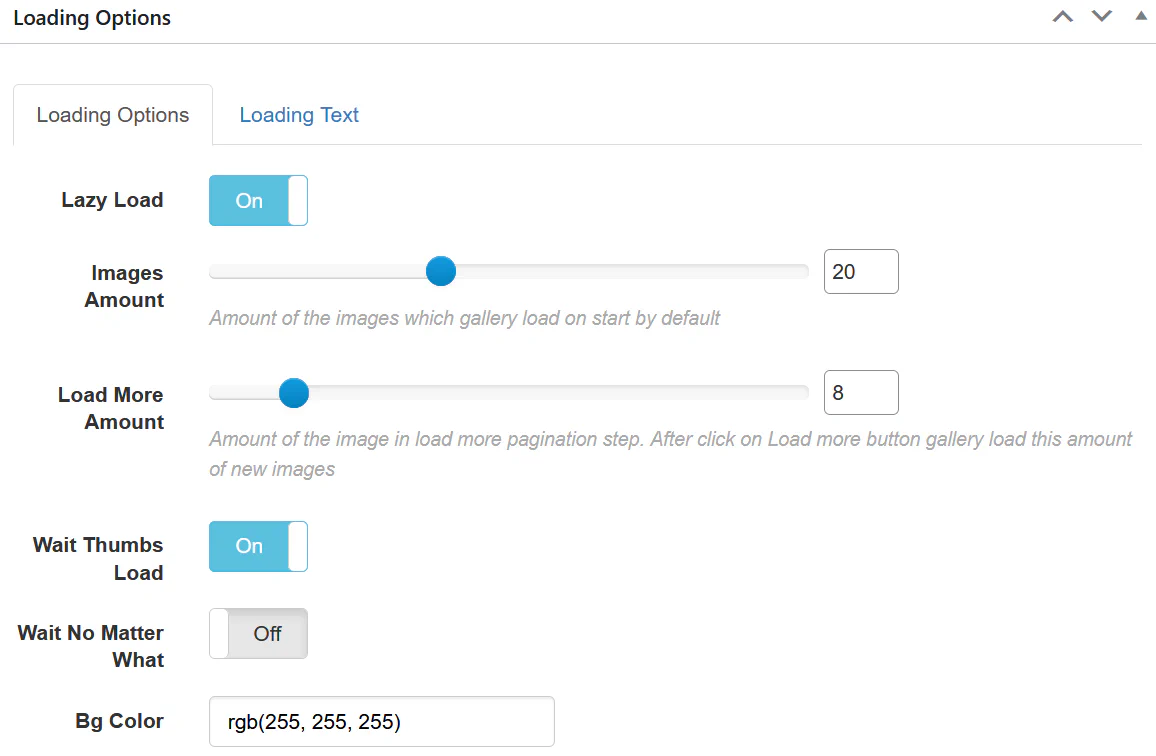
Loading Options
1. Loading Options#
You can configure:
Lazy Load – Load images only when needed.Images Amount – Number of images displayed initially.Load More Amount – Number of images loaded per click.Wait Thumbs Load – Wait until thumbnails are fully loaded.Background Color – Background while loading.
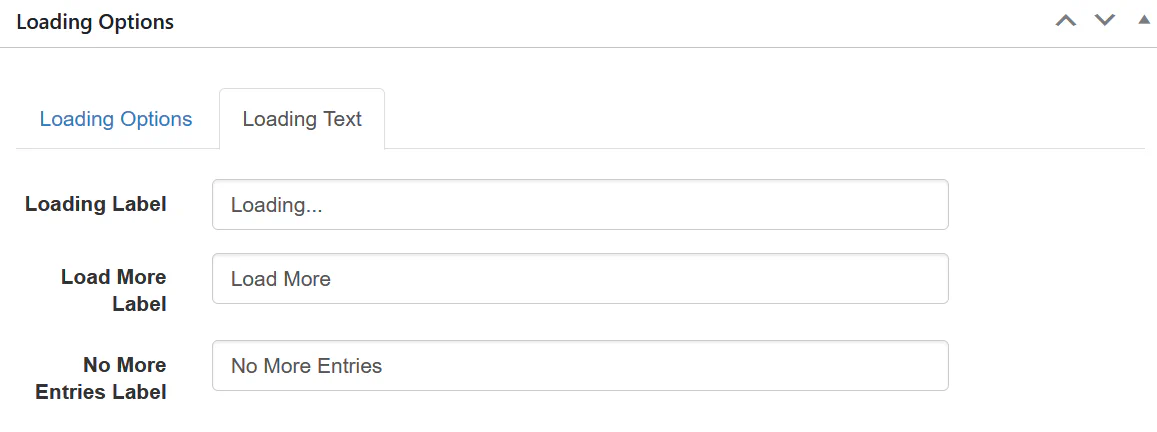
Additional loading labels:
Loading Label
Load More Label
No More Entries Label
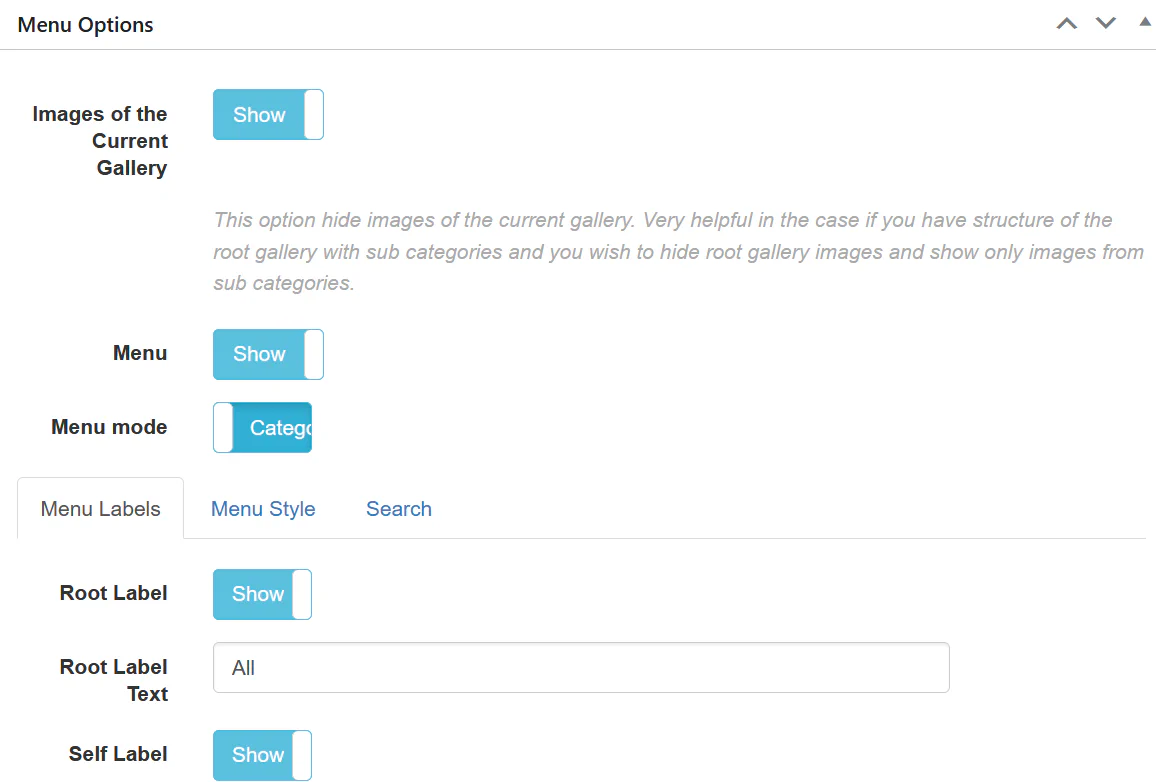
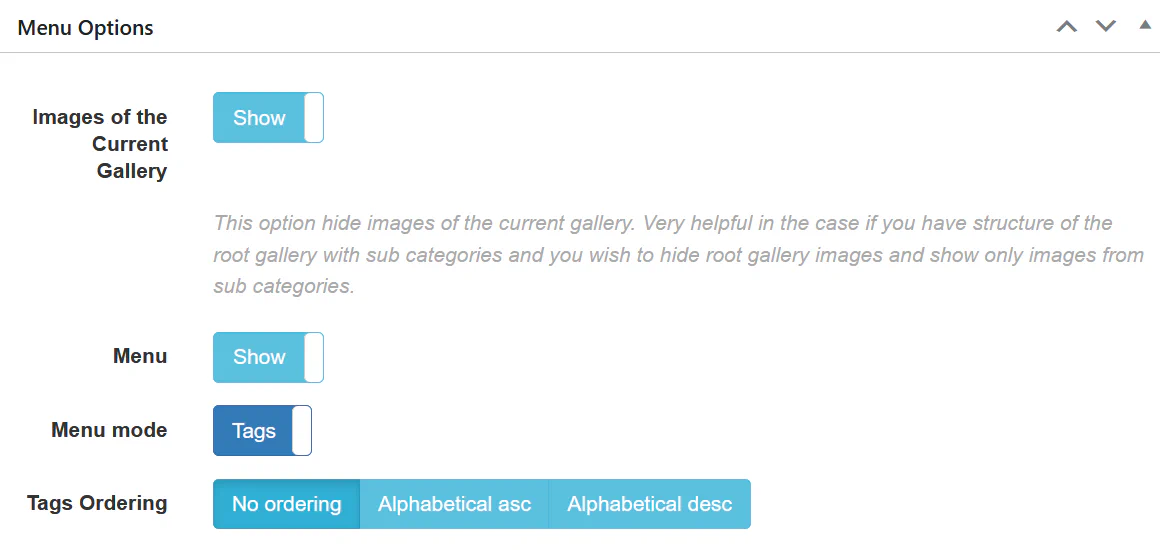
Under Menu Options , you can configure:
Show/hide images of the current gallery
Enable or disable Menu
Menu Mode (Categories / Tags)
Tags Ordering
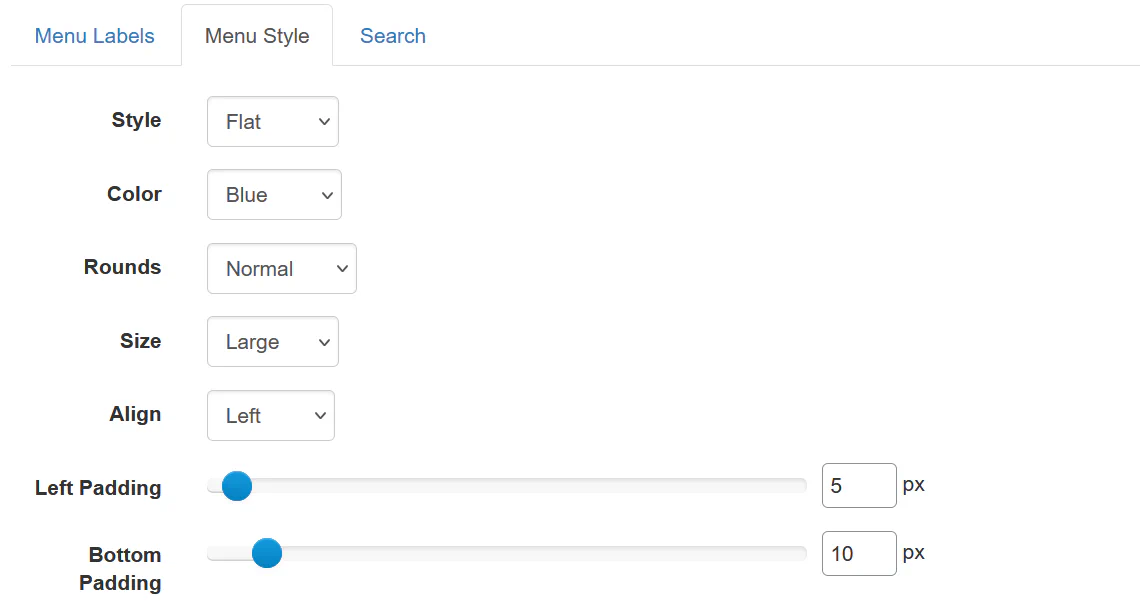
Menu styling options:
Style (Flat, etc.)
Color
Rounds
Size
Alignment
Padding
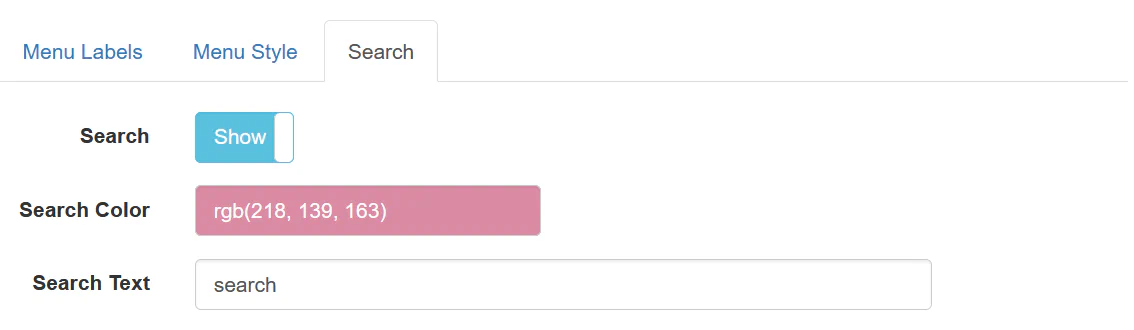
Search options:
You can enable search inside the gallery and customize:
Search Color
Search Placeholder Text
Tags ordering:
Inside Navigation → Pagination , you can choose:
Pagination – Traditional numbered paginationLoad More – Button-based loadingDisable – Show all images at once
You can also configure:
Images Per Page
Breadcrumbs
Infinite Scroll
Fusion Gallery (v5)#
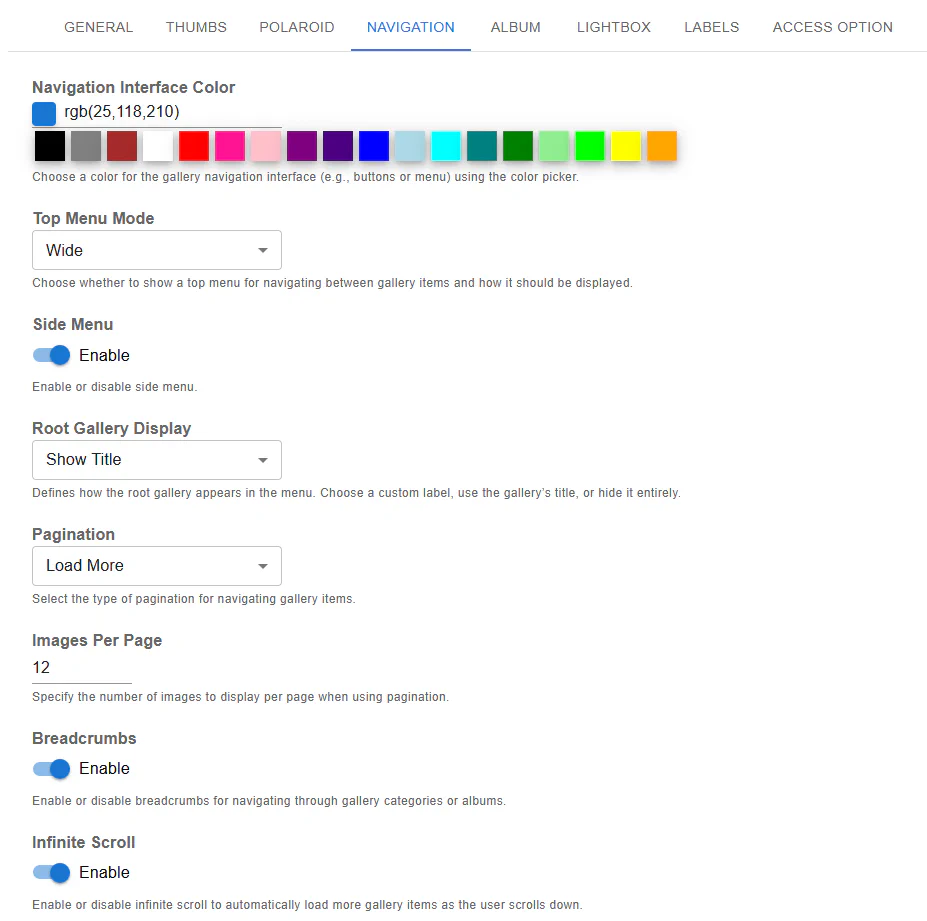
In Fusion version, pagination is located under:
Navigation → Pagination
Available options:
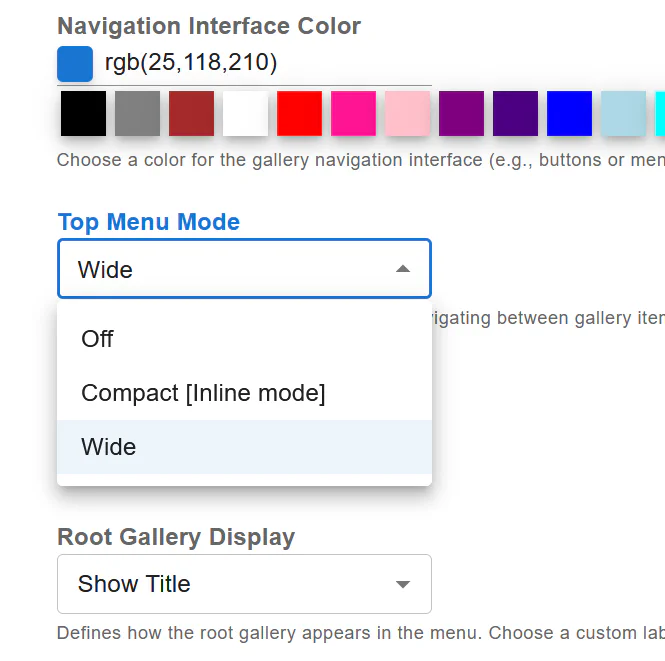
Top Menu Mode
Off
Compact (Inline mode)
Wide
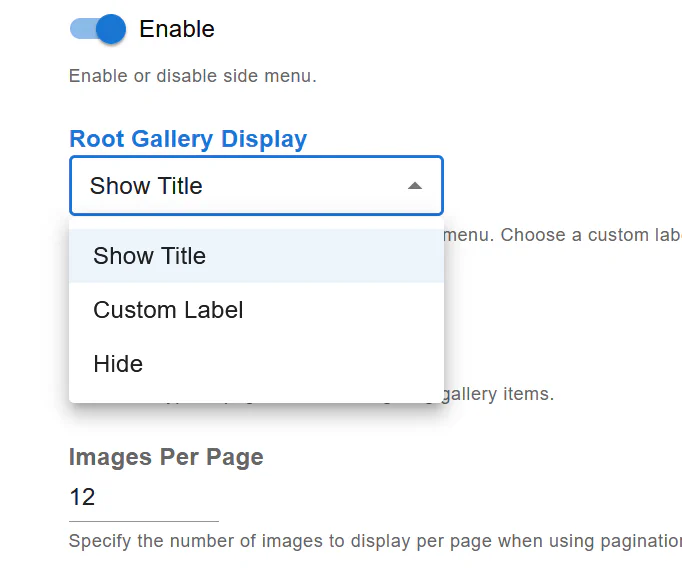
Root Gallery Display
Show Title
Custom Label
Hide
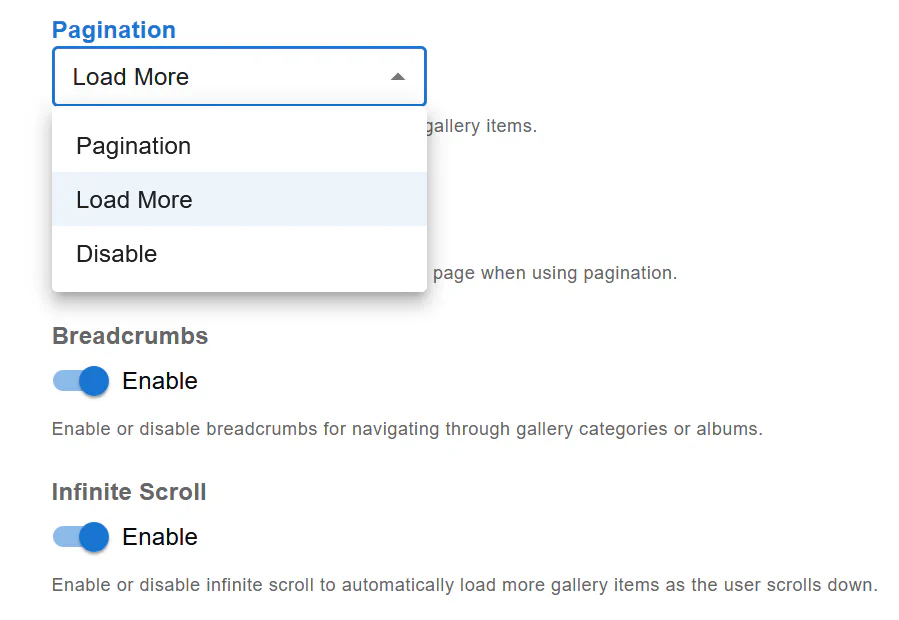
Pagination
Pagination (numbered)
Load More
Disable
Additional settings:
Images Per Page
Breadcrumbs
Infinite Scroll
Navigation Interface Color
Best for:
Large galleries
Structured navigation
SEO-friendly browsing
Load More#
Best for:
Modern layouts
Better UX
Medium-sized galleries
Best for:
Portfolio-style galleries
Seamless user experience
Mobile-first layouts
For better performance:
Enable Lazy Load
Limit initial image amount
Use Load More or Pagination
Avoid displaying hundreds of images at once
This helps improve:
Page speed
Server performance
User experience
Pagination gives you full control over how visitors interact with your gallery. Whether you prefer traditional page navigation or a smooth infinite scroll experience, Robo Gallery provides flexible options in both Classic and Fusion versions.